Check List
You operate in one or more countries and keep re-picking the same SmartCheck services. Save that mix as a Check List. Try a check from the list, or send the list to SmartBatch.
Open Check List in Smart-Agent at ai.verifik.co/check-list. Saving the list is free. Running a check spends credits like any other API call.
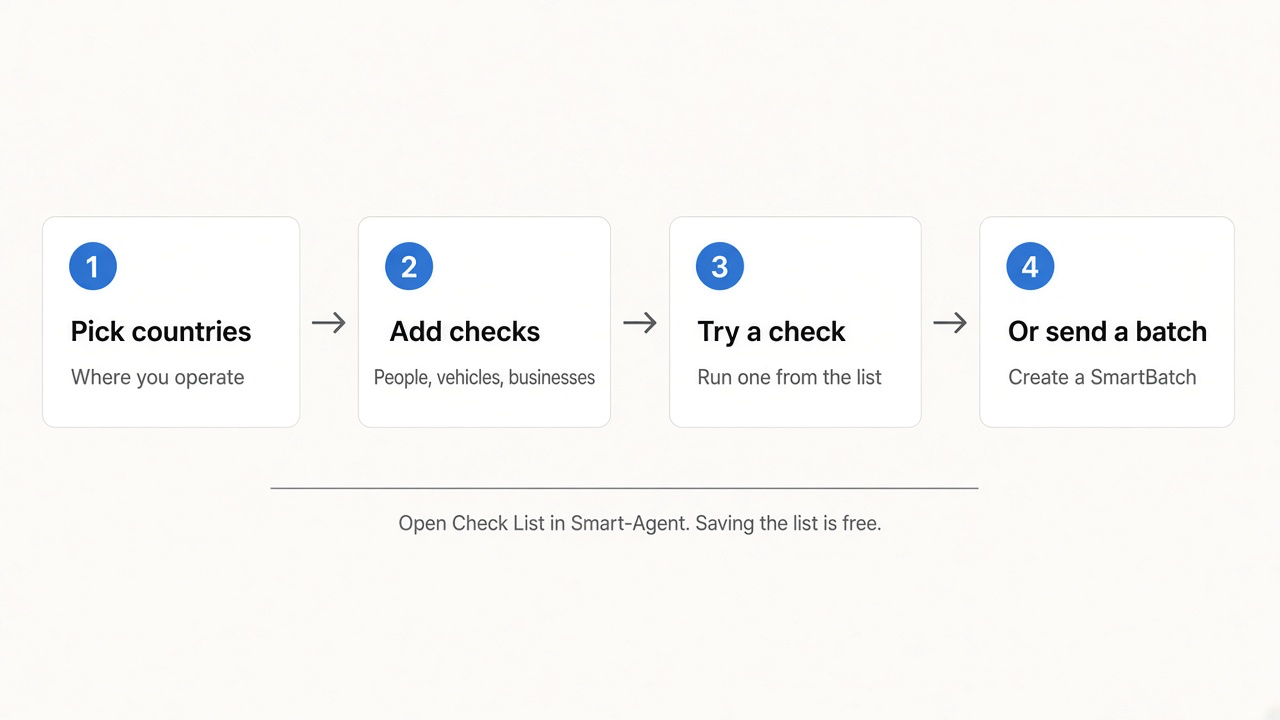
Saving the list is free. Running a check spends credits like any other API call.
What you can do
Pick countries
Choose where you operate when you create the list. The catalog then shows services for those countries.
People, vehicles, businesses
Add identity, plates, company registries, and more. Filter the catalog by domain.
Try a check
Open a service, fill the fields, and run it. Credits apply on that call — not when you save the list.
Create a SmartBatch
Hand the saved services to SmartBatch for a file or a queue. If the list has several countries, pick one first.
In Smart-Agent
Sign in with your Verifik client account. Check List stores lists on that account — not on a SmartEnroll project.
1. Your lists
The dashboard shows how many lists you have, how many countries they cover, and how many services you saved. Open a card to edit a list, or start a new one.
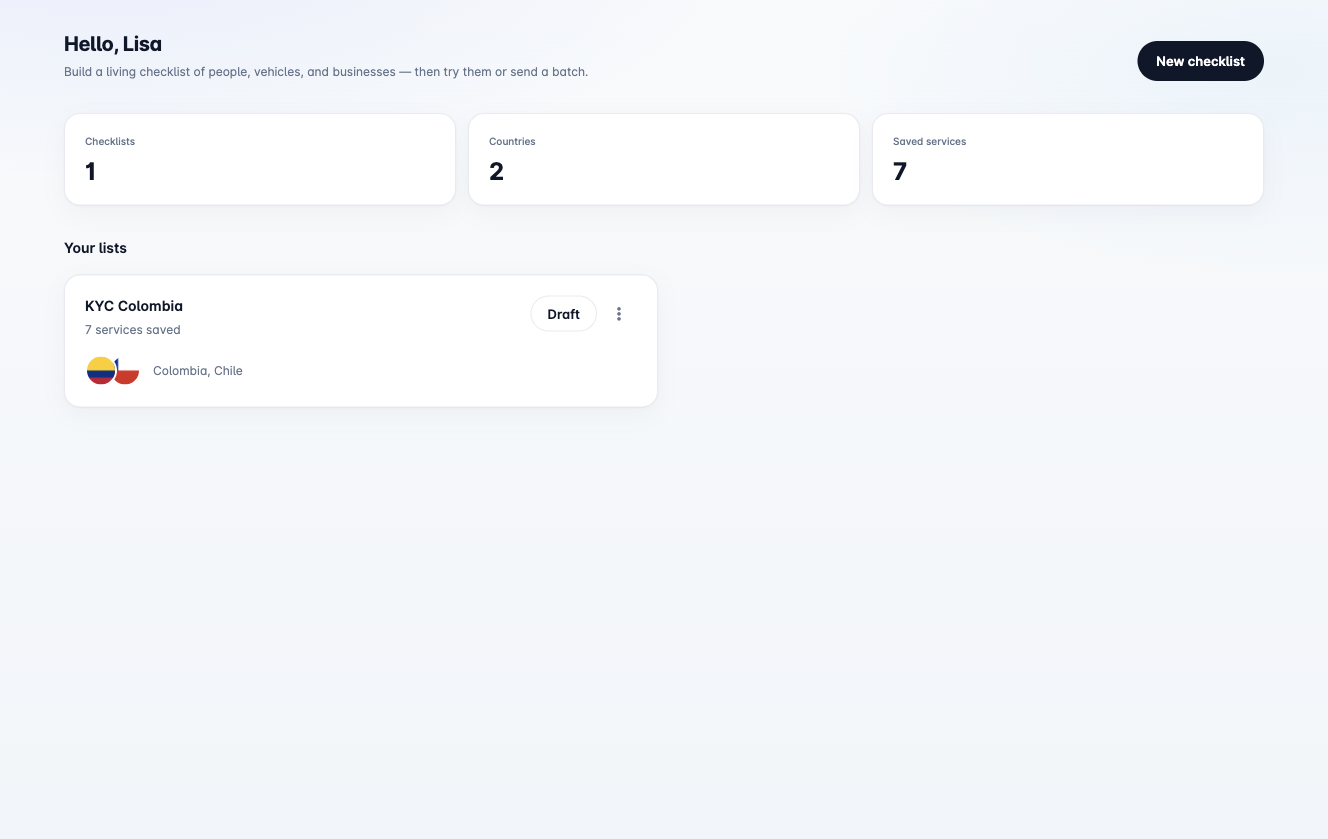
If you have no lists yet, start with a country.
After you create a list you return to this dashboard. Open the new card to add services.
2. Create a checklist
Pick one or more countries, then name the list (for example KYC Colombia or Fleet Chile).
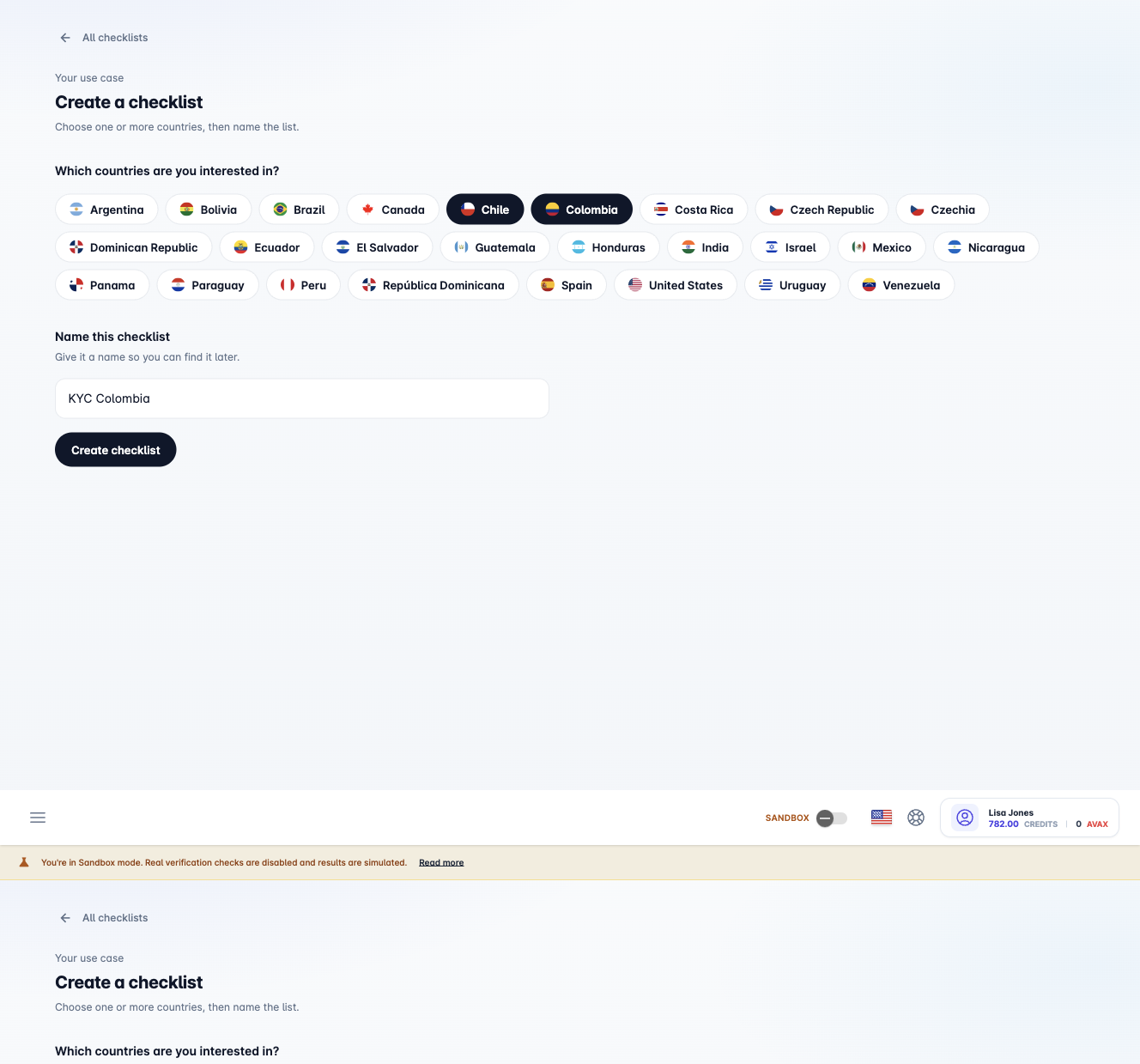
Countries are set when you create the list. You do not change them later in the workspace.
3. Add services
Open the list. Saved services sit at the top. Below that, search the catalog and filter by People, Vehicles, or Businesses. International background checks stay at the bottom.
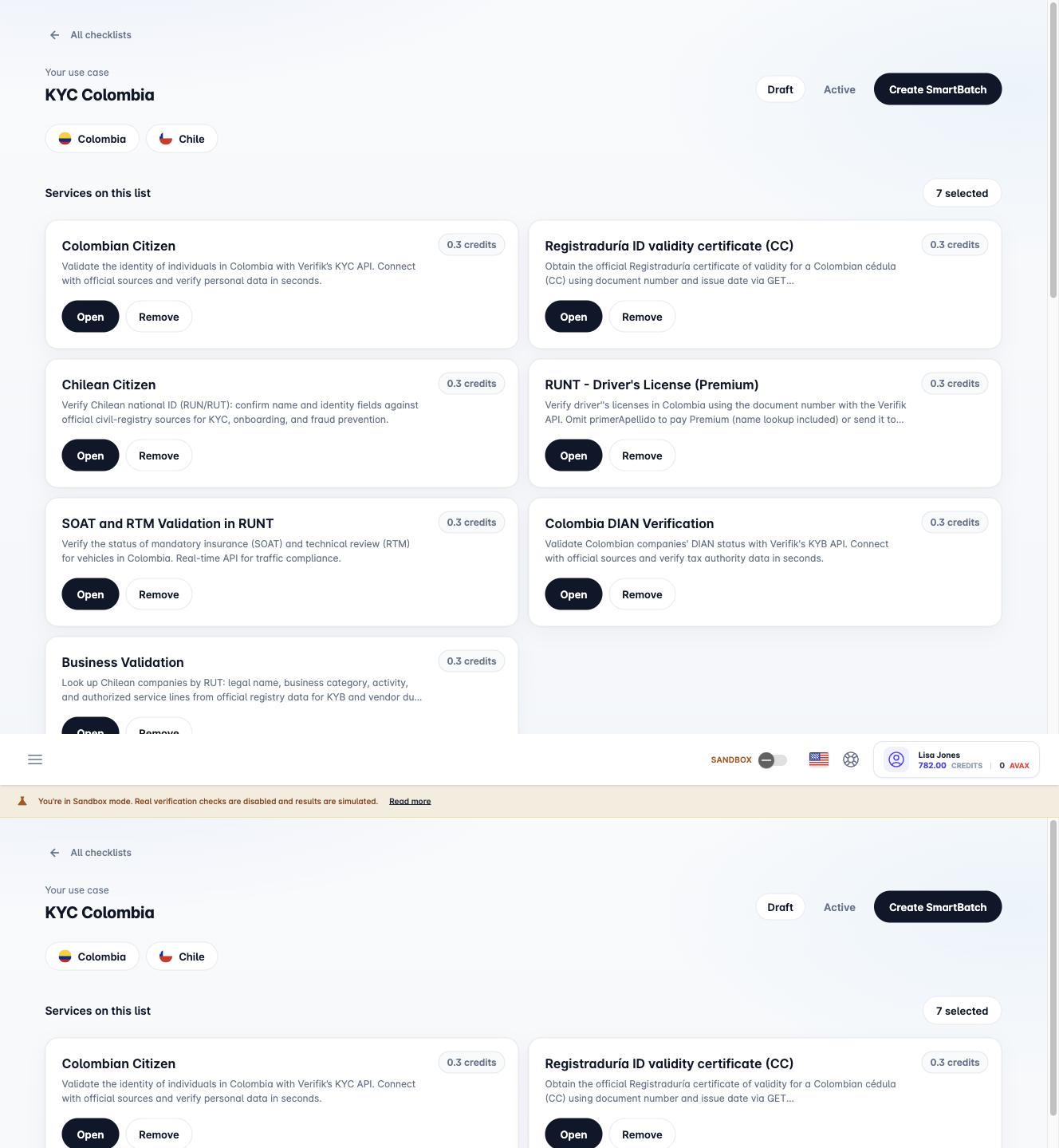
Use Select to add a service. Use Open to try it. Draft and Active are labels so you can organize lists — both work the same.
4. Try a check
Open a service. The drawer has About, Request, and Result. Fill the required fields and click Run check.
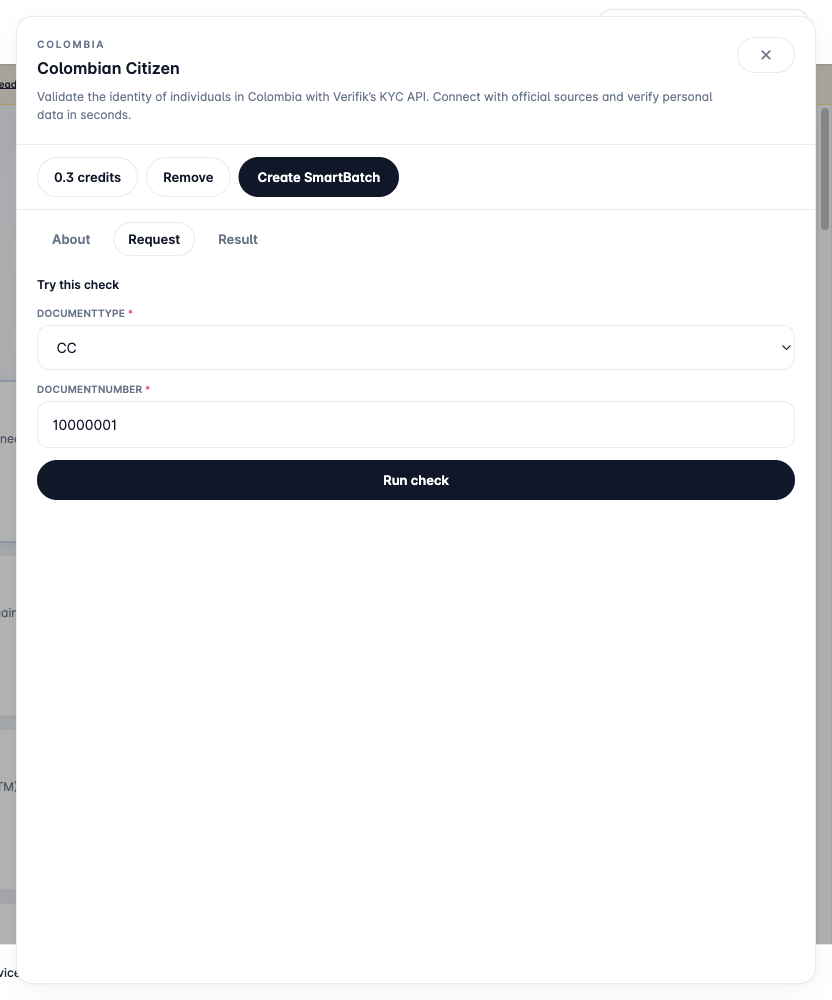
The result is the same response you would get from that catalog API. Your credit balance updates after the call.
5. Send a SmartBatch
When you want a file or a queue of the same services, click Create SmartBatch. SmartBatch uses one country. If the list has more than one, choose which country to start with.
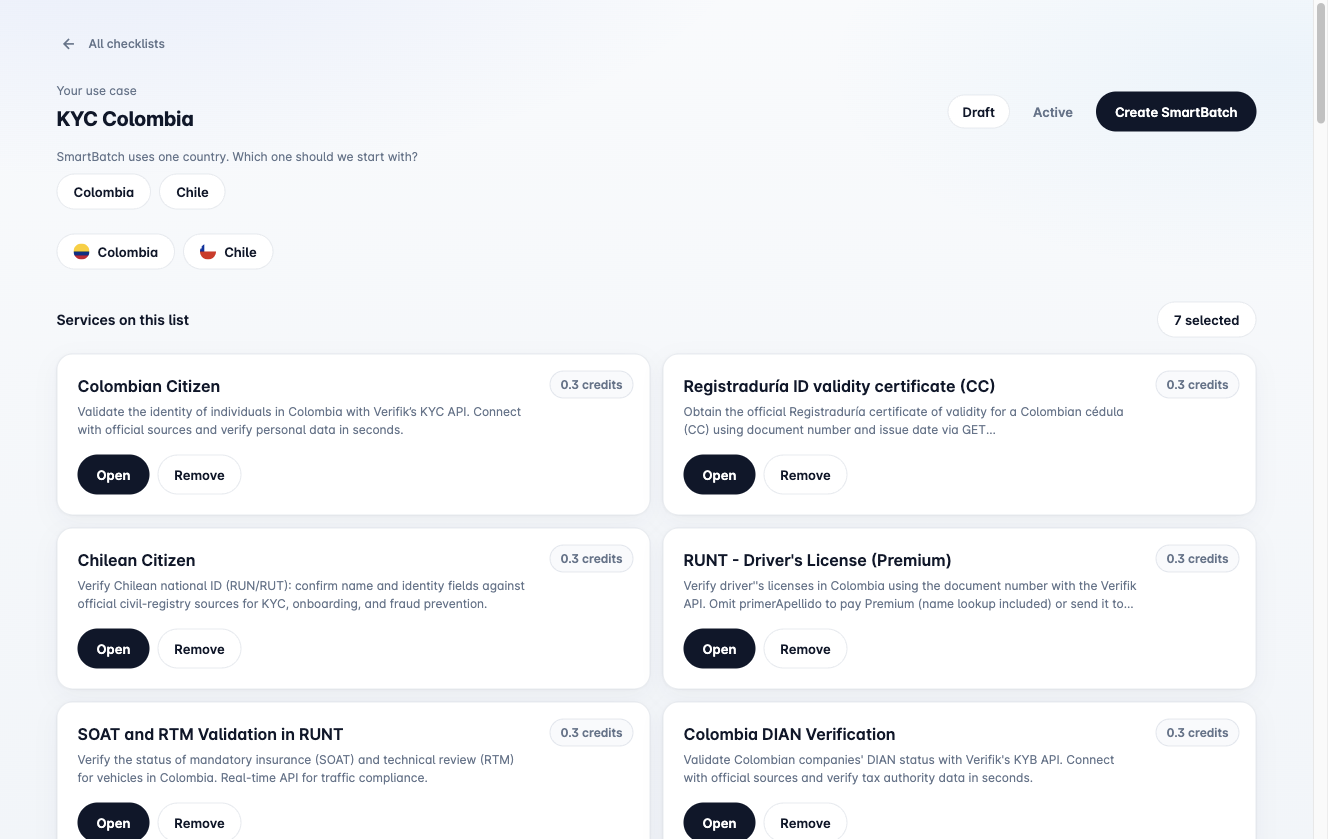
SmartBatch opens with that country, the list name, and the services you selected. Continue in the SmartBatch wizard.
What Check List is not
| Avoid thinking | Reality |
|---|---|
| A batch runner | Check List stores the mix. SmartBatch runs the file or queue. |
| Hosted KYC | SmartEnroll is a separate enrollment product. |
| A new registration each time you try a check | Run check calls the existing catalog API for that service. |
Related
- Check List API companion — save and load lists from your backend
- SmartCheck — the catalog of identity and data APIs
- SmartBatch — run the saved mix as a file or queue